Barrister practice management software, built around the way the modern Bar actually works.
A cloud based platform for instructions, matter management, diaries, documents and CPD — accessible from web, phone or desktop, and operated alongside our clerking team.
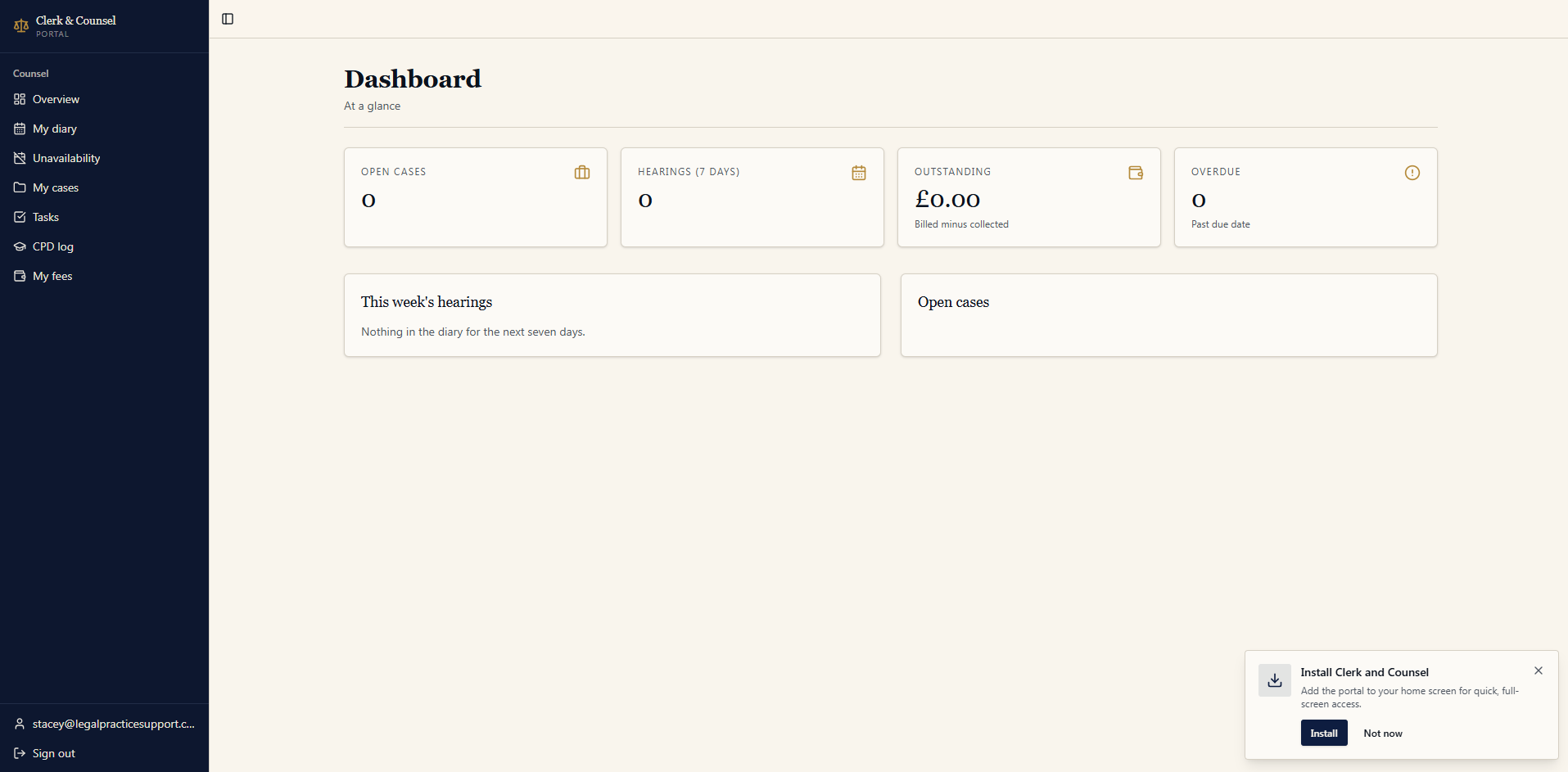
Most barrister practice management software was designed for chambers administrators, not for barristers. Screens are crowded, workflows assume a senior clerk sitting between you and the system, and nothing about the experience reflects how counsel actually moves between papers, court and conference. Clerk&Counsel takes a different position: the barrister is the primary user, the clerking team works in the same system, and every screen earns its place by removing friction from a real task.
The platform is delivered as a Progressive Web App. There is no installer, no chambers server and no IT project. Open it in a browser to use it immediately, or install it to your phone or desktop home screen for a native-feeling app — same login, same data, offline-aware. Membership is currently restricted to barristers on the Clerk&Counsel panel, which means the software is tuned to a defined group rather than trying to be everything to every set.
Accept or decline instructions in one tap.
Every enquiry that reaches Clerk&Counsel is triaged by a human clerk before it touches your diary. The clerks confirm jurisdiction, scope, fee basis and conflicts, then send the instruction into your account with the brief, exhibits and a short summary already attached. You receive a push notification — on phone or desktop — and respond with a single tap: accept, decline, or request more information. Declined instructions are reallocated by the clerks within minutes, so nothing sits.
Fee proposals, conflict checks and engagement letters are generated inside the same workflow, so by the time you accept, the matter is already opened, the client is on file and the brief is searchable.
Unavailability that the clerks actually see.
Add unavailability in seconds — half-days, writing days, part-heard fixtures, leave, training, judicial sittings. Our clerks see your real availability in real time before they offer work, so you stop fielding instructions you were never going to take. Court dates, conferences and deadlines populate automatically from the matter record and sync to your phone calendar.
Every matter, every document, every deadline.
Matter management is the spine of the platform. Each instruction opens a structured file: parties, tribunal, listing, key dates, fee record, correspondence and a full document store. Briefs uploaded by the clerks land directly in the matter; you can annotate, bundle and share without leaving the system. Search runs across every document you have ever been instructed on, including the body of PDFs.
Tasks and reminders sit alongside the matter — your own work-in-progress list, your clerks' actions, and any deadlines pulled in from the court order. Nothing is hidden in someone else's inbox.
One system across the practice areas we cover.
The platform supports the full set of practice areas served by the Clerk&Counsel panel, including commercial litigation, construction and adjudication, property, family, immigration and direct access work. Templates, fee structures and document types are tuned per practice area, so a property dispute opens differently from a child arrangements matter, and an immigration appeal carries its own checklist for tribunal deadlines and bundling requirements.
CPD recording that takes seconds, not Sundays.
Log CPD as you complete it. Hours, activity type, provider, certificate upload and notes — all stored against your annual record. Export a Bar Standards Board compliant summary at any time. No spreadsheets, no end-of-year scramble.
Your clerking team works in the same software.
The same platform powers our clerking desk. Clerks upload briefs and documents, set up fee notes, chase aged debt, manage your diary and field new enquiries — all visible to you in your matter and dashboard views. There is no email back-and-forth and no duplicated record. The result is a barrister practice that runs with the discipline of a well-clerked set and the autonomy of a sole practitioner.
Web, phone, desktop — the same app.
Because the platform is a Progressive Web App, you install it once per device and use it like any other app. It works offline for reading and annotating documents and syncs when you reconnect — useful in court basements and on trains. There is no per-seat licence to administer and no software update cycle to manage; improvements ship continuously.
Access is currently limited to barristers on the Clerk&Counsel panel.
If you would like to use the practice management software and receive sourced instructions through our clerking team, apply to join the panel.
Common questions.
Is the software cloud based?
Yes. It runs as a Progressive Web App, so it works in any modern browser and can be installed to your phone or desktop home screen for a native-feeling experience. There is nothing to download from an app store and no server for chambers to maintain.
Who can use it?
The platform is currently available only to barristers on the Clerk&Counsel panel. Membership is by application and covers a wide range of practice areas across England and Wales.
How do instructions reach me?
Our clerks triage every enquiry, take fee instructions and upload the brief and supporting documents directly into your case file. You receive a notification and can accept or decline in one tap.
Can I block out unavailability?
Yes. Mark holidays, part-heard trials, writing days or fixed commitments. Clerks see your availability in real time before offering work, so you stop receiving instructions you cannot take.
Does it record CPD?
Yes. The CPD section lets you log hours against the BSB categories, attach certificates, and export an annual record for your declaration.